
Spreadsheets have been an essential tool for businesses for decades. From managing customer information and tracking sales to monitoring inventory, handling finances, and organizing daily operations, tools like Microsoft Excel and Google Sheets make it easy to store and manage business data.
For startups and small businesses, spreadsheets are often an affordable and convenient way to get started. They are flexible, familiar, and require very little technical knowledge.
However, as a business grows, its operations become more complicated. Managing thousands of records, coordinating multiple teams, handling repetitive tasks, and maintaining accurate information through spreadsheets can become increasingly difficult.
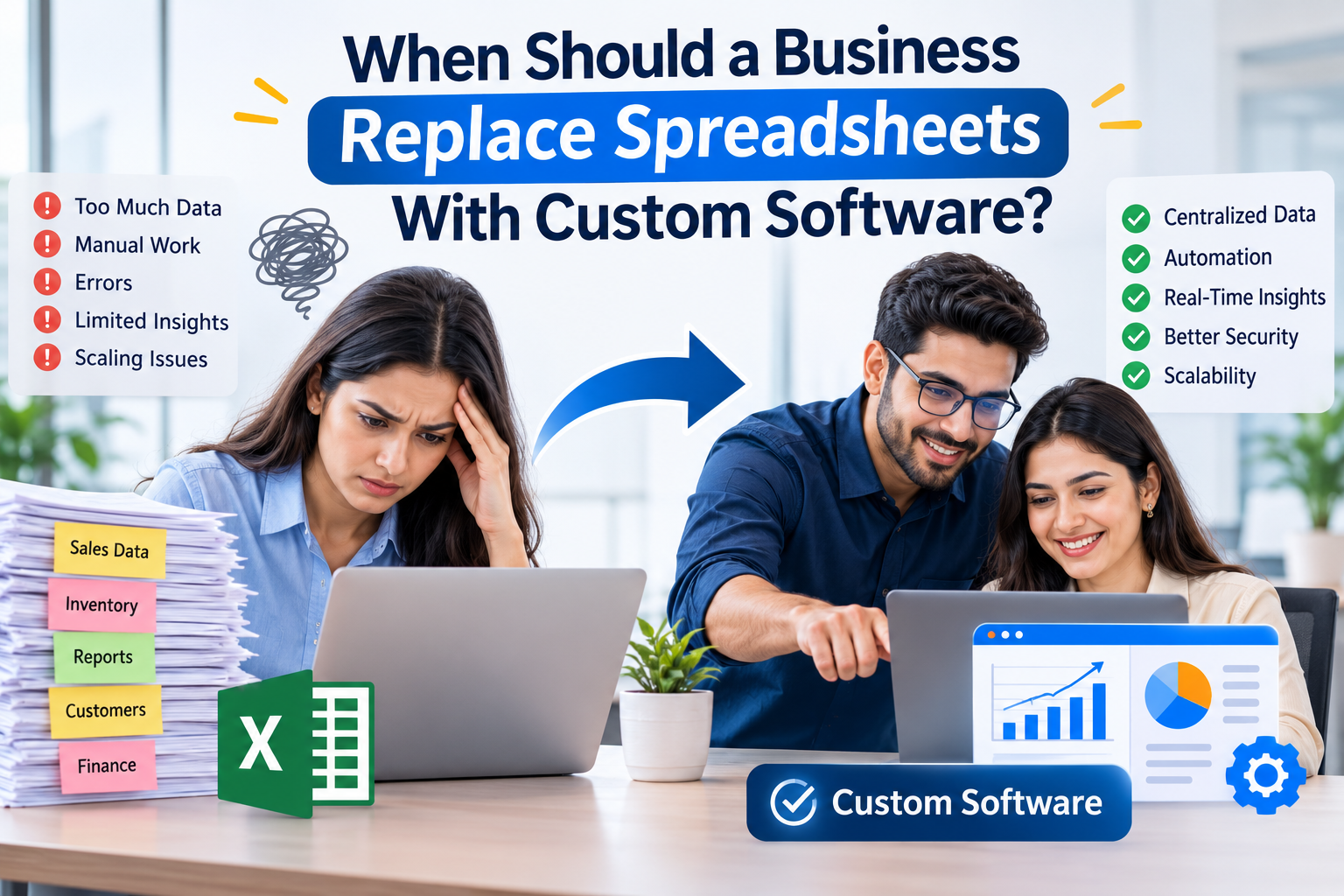
This raises an important question: When should a business replace spreadsheets with custom software?
The answer depends on your business requirements, operational complexity, and future growth plans. In this guide, we will explore the warning signs that indicate your business has outgrown spreadsheets and how custom software can help improve efficiency, accuracy, and scalability.
One of the first signs that spreadsheets are no longer sufficient is the increasing volume of business data.
When you initially start a business, maintaining a few spreadsheets for customers, orders, employees, and expenses is manageable. But as your customer base and operations expand, these files can become difficult to organize.
Common challenges include:
How custom software helps:
Custom software provides a centralized database where business information can be stored, organized, and accessed through a structured interface. Instead of switching between multiple spreadsheets, employees can manage relevant information from one system.
Spreadsheets often require employees to perform repetitive activities manually. These activities may include copying information, updating records, calculating totals, preparing reports, and sending status updates.
Although individual tasks may take only a few minutes, the combined time can significantly affect employee productivity.
For example, an e-commerce business might manually update inventory spreadsheets after every order. As order volume increases, this process becomes time-consuming and creates opportunities for mistakes.
How custom software helps:
Custom software can automate repetitive business processes, including:
Automation allows employees to focus on more valuable activities instead of spending hours maintaining spreadsheets.
Spreadsheets can become difficult to manage when multiple departments or employees need access to the same information.
For example, a sales team might update customer details while the finance department maintains payment records. Meanwhile, the operations team may have a separate spreadsheet containing order information.
This creates several problems:
How custom software helps:
A custom business management system allows authorized employees to access shared information through a centralized platform.
Role-based access controls can ensure that employees only access the information relevant to their responsibilities. Activity logs can also help businesses track changes and maintain accountability.
Spreadsheets depend heavily on accurate data entry and correctly configured formulas.
A small mistake, such as entering an incorrect value, deleting a formula, or referencing the wrong cell, can affect entire reports.
These errors become particularly concerning when businesses use spreadsheets for:
Incorrect information can lead to poor decisions, financial losses, and unnecessary operational complications.
How custom software helps:
Custom software can reduce manual errors through predefined data validation rules, automated calculations, structured forms, and controlled workflows.
It also helps maintain consistency by ensuring that employees follow standardized processes when entering and updating information.
Spreadsheets are useful for basic reporting, calculations, and charts. However, businesses often require more advanced reporting capabilities as they grow.
For example, management may want to understand:
Preparing these reports manually from multiple spreadsheets can take considerable time.
How custom software helps:
A custom reporting dashboard can collect information from different business operations and present it through interactive charts, graphs, and reports.
Business owners and managers can monitor important performance indicators without manually combining information from different files.
Modern businesses use multiple digital tools to manage their operations, including CRM platforms, accounting software, payment gateways, inventory systems, marketing platforms, and communication tools.
When these tools operate separately, employees may need to transfer information between platforms manually.
For example, when a customer places an order, the sales team may update one spreadsheet, the finance team may update another, and the inventory team may maintain a separate record.
This disconnected workflow creates unnecessary delays.
How custom software helps:
Custom software can integrate different business applications through APIs and other integration methods.
Depending on business requirements, it can connect:
This creates a more connected business environment where information can move between systems with minimal manual intervention.
As businesses grow, the information they manage becomes increasingly important.
Customer details, financial records, employee information, supplier contracts, and internal business documents must be protected from unauthorized access.
Spreadsheets can be password-protected and shared with restricted permissions, but managing access across multiple files can become complicated.
How custom software helps:
A custom software solution can provide more structured security features, such as:
The specific security features depend on the software architecture and implementation.
A spreadsheet-based workflow that works for five employees may not work effectively for fifty employees.
As a business expands, it may introduce new departments, locations, products, services, and operational requirements.
Managing these growing processes through spreadsheets can create bottlenecks.
For example, a retail business operating from one location might manage stock using Excel. However, when it expands to multiple stores, maintaining separate inventory records and synchronizing stock levels becomes more complicated.
How custom software helps:
Custom software can be developed around current business requirements while allowing room for future expansion.
Businesses can introduce additional modules, user roles, integrations, reporting features, and workflows as their operational needs evolve.
This makes custom software a more flexible option for businesses with long-term growth plans.
Understanding the differences between spreadsheets and custom software can help businesses determine when an upgrade makes sense.
| Business Requirement | Spreadsheets | Custom Software |
|---|---|---|
| Data management | Suitable for basic records | Centralized data management |
| Automation | Limited and often manual | Advanced workflow automation |
| Multiple users | Basic collaboration features | Role-based multi-user access |
| Reporting | Basic charts and formulas | Custom dashboards and analytics |
| Data security | File-level permissions | Structured security controls |
| Integrations | Often require manual work or add-ons | API-based integrations |
| Scalability | Can become difficult to maintain | Designed around growth requirements |
| Customization | Limited by spreadsheet functionality | Tailored to business workflows |
| Maintenance | Manual file management | Structured updates and maintenance |
Not every business needs custom software immediately. Spreadsheets remain useful for simple calculations, small datasets, temporary tracking, and basic reporting.
However, businesses should consider upgrading when the cost of maintaining spreadsheet-based processes becomes greater than the investment required for a dedicated solution.
Here are some practical situations where custom software may be the right choice:
The goal is not to replace every spreadsheet. It is to identify the processes where spreadsheets are creating limitations and determine whether automation or dedicated software would deliver better results.
Moving from spreadsheets to custom software requires proper planning. A structured transition helps businesses avoid data loss, operational disruptions, and unnecessary development costs.
Here are the key steps to consider.
Start by reviewing how your business currently uses spreadsheets.
Identify which departments depend on them, what information they manage, and which processes involve repetitive manual work.
Prepare a list of features your business needs.
These might include customer management, inventory tracking, employee management, reporting dashboards, automated notifications, or financial management.
Prioritize essential features rather than trying to build everything at once.
The technology stack depends on your project requirements, expected usage, integrations, and scalability needs.
For example, businesses may consider Laravel for backend development, React for interactive user interfaces, and MySQL or PostgreSQL for database management.
Working with experienced developers can help you select an appropriate architecture.
Before migration, review existing spreadsheets to remove duplicate entries, correct inconsistent information, and organize important records.
The cleaned data can then be transferred into the new software system.
Test important features, user permissions, data accuracy, integrations, and automated workflows.
Involving employees in the testing process can help identify practical issues before the system is introduced across the organization.
Provide employees with the necessary training to use the new platform.
Monitor system performance, collect feedback, and make improvements as business requirements change.
After deciding to move beyond spreadsheets, businesses face another important decision: should they purchase ready-made software or invest in custom software development?
Ready-made solutions are useful when your business needs standard features and can adapt its processes to an existing platform.
Custom software is worth considering when your business has unique workflows, specialized requirements, complex integrations, or specific scalability needs.
The right choice depends on your operational requirements, budget, implementation timeline, and long-term business objectives.
For businesses with highly specific processes, working with a professional custom software development company can help identify the right solution and build a system around their requirements.
Spreadsheets are excellent tools for managing simple business activities, but they are not always the right long-term solution for growing organizations.
When manual processes increase, data becomes difficult to manage, reporting takes too much time, and multiple departments struggle to coordinate, it may be time to consider custom software.
The objective is not simply to replace Excel or Google Sheets with another digital tool. It is to create a more efficient, secure, and scalable business environment.
By identifying operational challenges and investing in the right technology at the right time, businesses can reduce repetitive work, improve data accuracy, and prepare their operations for future growth.
Looking to move beyond spreadsheets? TechieDom can help your business explore custom software development solutions designed around your operational needs and long-term goals.