
Every successful software project begins with a clear understanding of what needs to be built, why it is needed, and how it should work. Without well-defined requirements, even an experienced development team can struggle to deliver a solution that meets business expectations.
Unclear instructions, changing project goals, missing features, and communication gaps can lead to development delays, unexpected expenses, and disappointing results. This is why writing software project requirements is one of the most important steps in the software development process.
Whether you are building a business website, a mobile application, a SaaS platform, or an enterprise software solution, a well-prepared requirements document helps keep everyone aligned.
In this practical guide, we will explain how to write software project requirements, what information to include, common mistakes to avoid, and how to prepare a document that your development team can use throughout the project.
Software project requirements describe what a software application must do, how it should perform, and what limitations or conditions it must meet.
They help translate a business idea into clear instructions that designers, developers, testers, and project managers can understand.
For example, imagine a business wants to develop an online appointment booking system. Simply saying, “We need a booking website,” does not explain how the system should work.
The development team needs answers to questions such as:
Clearly documenting these requirements reduces confusion and gives the team a shared understanding of the expected outcome.
Well-written requirements provide a foundation for planning, development, testing, and project management.
A requirements document establishes what is included in the project and what is outside its scope.
This helps prevent scope creep, which occurs when additional features and requests keep being added without proper evaluation of their impact on cost or timeline.
Business owners may describe their goals in business terms, while developers think in terms of functionality, integrations, data, and technical constraints.
A clear requirements document bridges this gap by explaining the expected behavior of the software in a structured format.
Development teams need to understand the features, complexity, integrations, and technical constraints before estimating the required effort.
Detailed requirements make it easier to identify dependencies, allocate resources, and prepare a realistic project estimate.
Testers use requirements to determine whether the software behaves as expected.
For example, if the requirement states that a user must receive an email after completing a booking, the testing team can verify whether the email is triggered correctly.
When important details are missed during planning, developers may build features that do not match business expectations.
Clarifying requirements early helps reduce unnecessary redesign, redevelopment, and testing.
Before writing your requirements document, it is important to understand the different categories of requirements.
Business requirements explain why the project is being developed and what the organization wants to achieve.
Examples include:
These requirements connect software development activities to measurable business objectives.
Functional requirements describe what the software must do.
For an e-commerce application, functional requirements might include:
Each requirement should describe a specific action or system behavior.
Non-functional requirements describe how well the software must operate and what quality standards it must meet.
Common examples include:
Where possible, make these requirements measurable rather than using vague terms such as “fast,” “secure,” or “user-friendly.”
Technical requirements define constraints and implementation needs that affect the software’s architecture and development.
These may include:
Technical decisions should be based on the project’s business needs, existing systems, and long-term maintenance requirements.
User requirements explain what different users need to accomplish with the software.
For example, in an inventory management system:
Understanding user needs helps developers create practical workflows instead of focusing only on technical functionality.
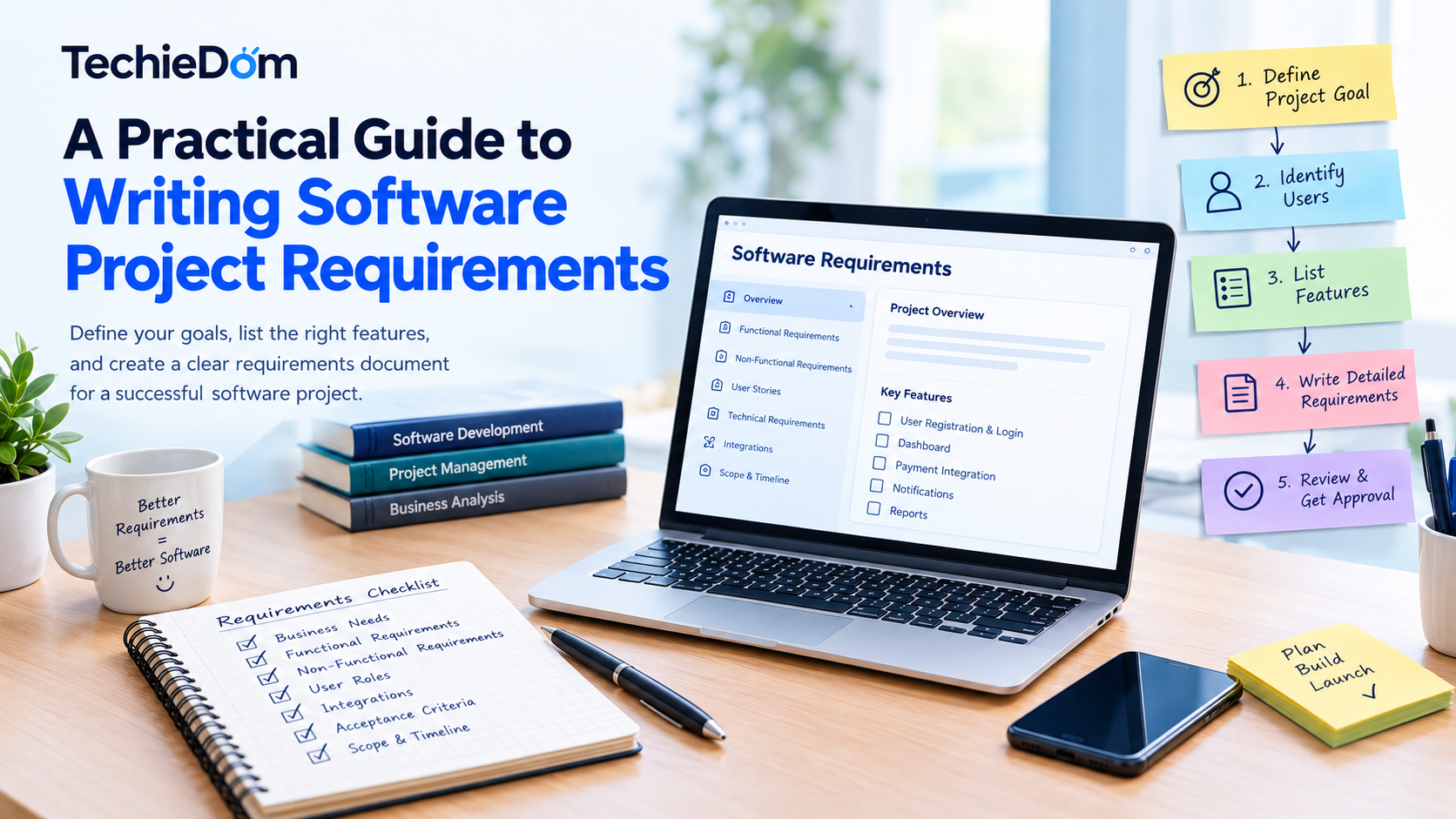
Follow these steps to prepare a requirements document that is clear, actionable, and useful throughout development.
Start by explaining the problem the software will solve.
Avoid beginning with a long list of features before understanding the underlying business objective.
For example:
Weak requirement: We need an inventory management application.
Better requirement: We need an inventory management application that helps warehouse staff track stock levels across multiple locations, reduce manual data entry, and identify products that need replenishment.
The second statement explains the purpose of the project and gives the development team useful context.
Determine who will use the software and what each user needs to accomplish.
Create a list of user roles, such as:
Document the permissions and actions associated with each role.
For example, customers may view their orders, while administrators may update order statuses and issue refunds.
This step is particularly important for applications with multiple dashboards, permissions, or approval workflows.
Create a structured list of the features required to achieve the project goal.
For an appointment booking application, the initial feature list could include:
| Feature | Description | Priority |
|---|---|---|
| User registration | Allow customers to create accounts | High |
| Appointment booking | Let users select available time slots | High |
| Email notifications | Send booking confirmations | High |
| Appointment rescheduling | Allow customers to change bookings | Medium |
| Loyalty rewards | Reward returning customers | Low |
The priority levels above are illustrative. Assign priorities based on actual business needs.
You can use a simple classification such as Must Have, Should Have, Could Have, and Not Planned to separate essential functionality from future enhancements.
A feature name alone is not enough. Explain how it should work, who can use it, and what the expected result should be.
For example:
Feature: User login
Requirement: Registered users must be able to log in using their email address and password.
Expected behavior:
This level of detail gives developers and testers a shared reference for implementation.
User stories describe functionality from the user’s perspective. Acceptance criteria explain the conditions that must be met for the functionality to be considered complete.
A common user story format is:
“As a [type of user], I want [an action or capability], so that [a benefit].”
Example:
User story: As a customer, I want to reschedule my appointment so that I can change my booking when my availability changes.
Acceptance criteria:
Acceptance criteria should be specific enough to test.
Many software applications depend on external services or existing business systems.
Identify integrations early, including:
For each integration, document its purpose, required data, expected behavior, and any known limitations.
Also identify dependencies such as third-party approvals, access credentials, legacy databases, or hardware requirements.
Document performance, security, reliability, accessibility, and scalability expectations.
For example, instead of writing “The application should support many users,” specify an agreed target for concurrent users and define the expected response time under that load.
Avoid choosing arbitrary technical targets. Work with the relevant stakeholders and development team to establish realistic requirements.
List what the initial release will include and what it will not include.
For example:
Included in the first release:
Excluded from the first release:
Clearly stating exclusions helps control scope and makes future requests easier to evaluate.
Record important conditions that may affect the project.
Examples include:
Assumptions should be validated where possible. If an assumption proves incorrect, the project team can assess its impact on the plan.
Share the draft with relevant stakeholders, including business owners, end users, developers, designers, testers, and security specialists where appropriate.
Ask reviewers to confirm:
Record approvals and establish a process for managing future changes. Requirements should evolve when necessary, but changes should be reviewed for their impact on cost, scope, quality, and delivery dates.
A software requirements specification (SRS) provides a structured reference for the project team. The exact format depends on the project’s size and complexity, but the following sections are a useful starting point.
| Section | What to Include |
|---|---|
| Project overview | Background, problem, and business objectives |
| Project scope | Included features and exclusions |
| Stakeholders and users | User roles and responsibilities |
| Functional requirements | Features and expected behavior |
| Non-functional requirements | Performance, security, reliability, and accessibility |
| User workflows | Main user journeys and process flows |
| UI/UX requirements | Screens, design references, and interaction needs |
| Integrations | APIs, external systems, and data exchange |
| Data requirements | Data fields, storage, migration, and retention |
| Technical constraints | Required technologies, platforms, or infrastructure |
| Acceptance criteria | Conditions for feature completion |
| Dependencies and risks | External requirements and potential blockers |
| Assumptions | Conditions that need confirmation |
| Release priorities | Features planned for the initial and future releases |
| Approval and change control | Sign-off process and requirement updates |
For a small project, this information may fit into a concise document. A complex enterprise platform may require a more detailed specification supported by diagrams, prototypes, and technical documentation.
Consider a company planning to build a customer support ticket management system.
The purpose is to organize customer queries, assign tickets to support agents, and track resolution times.
A sample requirements summary could look like this:
Project objective: Centralize customer support requests and improve ticket tracking.
Target users: Customers, support agents, team managers, and administrators.
Core functional requirements:
Non-functional requirements:
Acceptance criteria: A submitted ticket receives a unique identifier, appears in the appropriate support queue, and can be assigned to an authorized agent.
Initial scope: Ticket creation, assignment, status tracking, email notifications, and basic reporting.
Future enhancements: AI-assisted ticket categorization, advanced analytics, and integrations with additional business platforms.
This example illustrates how a business objective can be converted into requirements that a development team can estimate, implement, and test.
Even well-intentioned project teams can overlook important details during requirements gathering.
Statements such as “The system should be easy to use” or “The application must be fast” are difficult to implement and verify.
Define measurable outcomes and observable behavior wherever possible.
A list of features may describe what users can do without addressing security, performance, accessibility, or reliability.
Include both functional and non-functional requirements.
Document what happens when something goes wrong.
For example, consider duplicate submissions, failed payments, expired sessions, unavailable time slots, network interruptions, and invalid input.
Including every possible feature in the first release can increase costs and delay launch.
Prioritize the functionality that delivers the greatest value and plan additional features for later releases.
New requirements are sometimes unavoidable. However, adding features without assessing their impact can disrupt schedules and budgets.
Use a change management process that documents the request, evaluates its impact, and records the relevant approval.
Without clear completion criteria, stakeholders may disagree about whether a feature has been delivered correctly.
Define how each important requirement will be verified before development or testing begins.
AI tools can support requirements gathering by organizing stakeholder notes, suggesting follow-up questions, drafting user stories, identifying ambiguous statements, and helping prepare acceptance criteria.
For example, a team can use an AI assistant to turn a rough description of an appointment booking workflow into a structured list of functional requirements.
However, AI-generated requirements should be reviewed by people who understand the business, users, and technical constraints. AI may overlook dependencies, introduce unsupported assumptions, or suggest features that are unnecessary for the project.
Use AI to speed up documentation and identify gaps, not as a substitute for stakeholder validation and technical review.
Clear requirements help every stage of a software project work more effectively.
During planning, they support effort estimation and resource allocation. During design, they help shape user journeys and interfaces. During development, they provide a reference for implementation. During testing, they establish expected behavior and acceptance criteria.
They also make it easier to evaluate changes, communicate progress, and plan future improvements.
If you are working with a software development company, share your requirements early and ask the team to identify gaps, technical risks, dependencies, and opportunities to simplify the initial release.
A collaborative approach helps ensure the final solution reflects actual business needs rather than assumptions made during development.
Turning a business idea into a reliable software product requires more than coding. It involves understanding business goals, defining project scope, planning user experiences, selecting appropriate technologies, and validating requirements before implementation.
TechieDom can be positioned as a development partner for businesses seeking software solutions aligned with their operational needs and long-term goals.
When discussing your project with a development team, be prepared to explain the problem you want to solve, who will use the software, which features are essential, and how you will measure success.
A structured requirements process can help clarify the scope, identify potential challenges, and support a more informed development estimate.
Explore TechieDom’s relevant software development services to discuss your project requirements and potential next steps.
Software project requirements describe the features, behaviors, performance standards, constraints, and other conditions a software solution must satisfy to meet its objectives.
Requirements are commonly developed collaboratively by business stakeholders, product owners, business analysts, project managers, end users, and technical team members. The exact responsibilities depend on the project structure.
Functional requirements explain what the software must do, such as allowing a customer to book an appointment. Non-functional requirements explain how the software must operate, such as meeting agreed performance, security, or availability targets.
A formal software requirements specification is especially useful for complex, regulated, or multi-team projects. Smaller projects may use a concise requirements document, user stories, and acceptance criteria instead.
Requirements should be detailed enough for stakeholders to understand the expected outcome and for developers and testers to implement and verify it. Complex features usually need more detail than straightforward functionality.
The initial requirements should be reviewed and agreed upon before the development team commits to the project scope and estimate. Requirements can change later, but updates should follow a defined review and approval process.
Yes. New information, user feedback, and business priorities may lead to changes. Each significant change should be evaluated for its impact on scope, cost, timeline, technical design, and testing.
Writing software project requirements is a critical step toward building a solution that meets business expectations. Clear requirements establish project goals, define essential functionality, identify technical constraints, and provide measurable criteria for success.
Start by understanding the problem, identifying users, prioritizing features, and documenting how the software should behave. Then review the requirements with stakeholders and the development team before moving into implementation.
The clearer your requirements are, the easier it becomes to plan, develop, test, and maintain your software.
If you are planning a new software project, TechieDom can help you explore development options that align with your business needs and goals.