
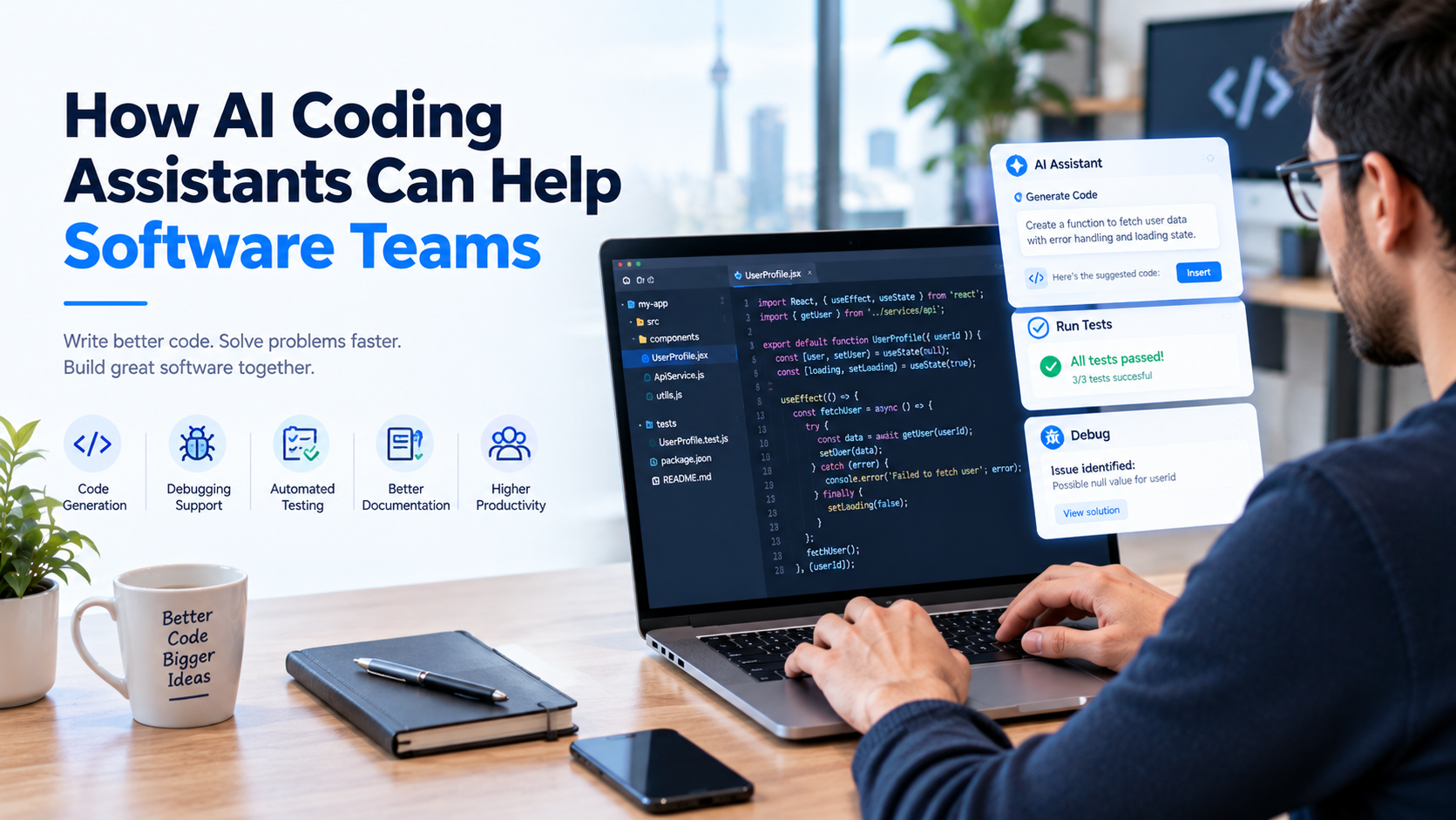
Artificial intelligence is changing how software teams plan, write, test, and maintain code. Tasks that once required hours of manual effort, such as generating repetitive code, explaining unfamiliar functions, identifying potential bugs, and writing unit tests, can now be supported by AI coding assistants.
For growing businesses and software development teams, these tools offer opportunities to improve productivity, accelerate development workflows, and reduce repetitive work. However, using AI in software development is not simply about generating code faster. Teams must also consider code quality, security, maintainability, and the importance of human oversight.
When integrated thoughtfully, AI coding assistants can help developers focus more time on complex problems, software architecture, and delivering business value.
In this guide, we will explore how AI coding assistants work, their key benefits for software teams, practical use cases, potential limitations, and best practices for adopting them in your development workflow.
AI coding assistants are software tools that use artificial intelligence, often including large language models (LLMs), to help developers perform programming-related tasks.
Depending on the tool, they can generate code suggestions, explain existing code, recommend fixes, create tests, summarize changes, and assist with debugging.
Some AI coding assistants work directly inside code editors, while others operate through chat interfaces, command-line tools, or integrated development environments (IDEs). More advanced tools can also work across multiple files and assist with larger development tasks under developer supervision.
Popular examples include:
Features, supported languages, integrations, pricing, and data-handling policies vary by product and subscription plan.
An AI coding assistant does not replace the need for programming knowledge. Instead, it acts as a development aid that helps engineers complete specific tasks more efficiently.
Software teams are expected to deliver reliable applications while managing changing requirements, tight deadlines, technical complexity, and ongoing maintenance.
Developers frequently spend time on repetitive work, including writing boilerplate code, searching documentation, preparing tests, and understanding unfamiliar sections of a codebase.
AI coding assistants can help reduce some of this overhead by providing context-aware suggestions and automating selected parts of the development process.
For businesses, the potential benefits include:
The actual impact depends on the task, the developer’s experience, the quality of the existing codebase, and how effectively the tool is integrated into the team’s workflow.
Writing code involves more than solving complex technical problems. Developers also spend time creating repetitive structures, implementing familiar patterns, and handling routine programming tasks.
AI coding assistants can generate initial code suggestions based on natural-language instructions, existing code, or comments describing the intended functionality.
For example, a developer building a customer management application might ask an assistant to generate a basic API endpoint, create a data validation function, or produce a reusable UI component.
AI tools can help with:
Developers should still review the output for correctness, performance, security, and consistency with the application’s architecture.
The main advantage is that teams can spend less time on predictable coding tasks and more time on decisions that require engineering judgment.
Debugging can consume significant development time, particularly when errors involve unfamiliar libraries, complex dependencies, or interactions between multiple components.
AI coding assistants can help developers understand error messages, identify potential causes, and explore possible solutions.
For example, if an API request returns an unexpected response, a developer may provide the relevant error message and sanitized code context to receive suggestions for investigating the issue.
AI assistants can support debugging by:
However, AI-generated explanations are not always accurate. A suggested fix may address the visible error without resolving its underlying cause.
Developers should reproduce the issue, verify the diagnosis, and run appropriate tests before accepting a change.
Software testing is essential for identifying defects and preventing regressions, but writing comprehensive tests can require considerable effort.
AI coding assistants can help create initial unit tests, suggest edge cases, and generate test scenarios based on a function’s intended behavior.
For example, when developing a user registration feature, an assistant may suggest tests for valid input, missing fields, invalid email formats, duplicate accounts, and unexpected responses.
AI-assisted testing can help teams:
AI-generated tests still require review. A test can pass while checking the wrong behavior, and generated tests may simply reproduce assumptions already present in the implementation.
Teams should define expected behavior independently and use meaningful assertions to ensure tests provide genuine protection against defects.
Joining an existing software project can be challenging, particularly when documentation is incomplete or the codebase contains years of accumulated changes.
AI coding assistants can help developers understand unfamiliar functions, trace dependencies, and explore how different components interact.
They can assist with questions such as:
This can be particularly useful for developers joining an established team or working with technologies they have not used extensively.
However, the assistant’s explanation should be verified against the actual implementation. Large codebases may contain hidden dependencies, business rules, or configuration details that the tool does not fully understand.
AI-assisted explanations work best when combined with source-code navigation, documentation, and guidance from experienced team members.
Code reviews help teams identify defects, improve readability, maintain consistent coding standards, and share technical knowledge.
AI coding assistants can provide an additional review layer by highlighting potential problems and suggesting improvements before or during a human review.
They may help identify:
AI tools can also suggest refactoring approaches that improve code organization while preserving expected functionality.
However, AI review should complement—not replace—human code review. Automated suggestions may overlook architectural constraints, misunderstand business logic, or introduce subtle regressions.
Teams should require human approval for significant changes, especially those affecting authentication, payments, sensitive data, or critical business processes.
Software projects frequently involve unfamiliar technologies, new frameworks, and evolving development practices.
AI coding assistants can explain programming concepts, demonstrate syntax, compare implementation approaches, and provide examples tailored to a developer’s question.
For example, a developer experienced in PHP may use an AI assistant to understand TypeScript syntax, learn a React pattern, or explore how an API integration works in another language.
AI assistants can support learning by:
Developers should use these tools to build understanding rather than blindly copying generated code. Checking official documentation remains important, especially when working with frequently updated libraries and frameworks.
Technical documentation is important for maintaining software, onboarding developers, and helping teams understand implementation decisions.
Unfortunately, documentation is often delayed when delivery deadlines take priority.
AI coding assistants can help developers prepare initial drafts of documentation based on code and project context.
Common applications include:
These capabilities can make documentation easier to maintain, provided the generated content is checked against the actual implementation.
Documentation should explain what the software really does rather than what the AI assumes it does.
Many businesses rely on older applications that continue to support important operations. Replacing these systems entirely can be expensive and risky.
AI coding assistants may help teams understand legacy code, identify dependencies, draft tests, and explore incremental modernization options.
For example, a development team maintaining an older PHP application might use AI assistance to explain a complex function, identify duplicated logic, or prepare tests before refactoring a module.
Potential use cases include:
Legacy systems require particular caution because seemingly minor changes may affect undocumented business processes.
Before modifying critical functionality, teams should establish baseline behavior, add appropriate tests, and plan a controlled rollout with a recovery strategy.
AI coding assistants can support different stages of a development project, not just the process of writing code.
| Development stage | How AI assistance can help |
|---|---|
| Requirements and planning | Summarize requirements, identify ambiguities, and draft technical task descriptions. |
| Architecture and design | Compare possible approaches and identify questions for architectural review. |
| Development | Generate code suggestions, explain functions, and create boilerplate. |
| Testing | Draft unit tests, suggest edge cases, and explain test failures. |
| Code review | Highlight potential defects, duplication, and maintainability concerns. |
| Documentation | Draft README files, API documentation, and release notes. |
| Deployment | Explain configuration issues and assist with deployment troubleshooting. |
| Maintenance | Help analyze legacy code, investigate errors, and plan refactoring. |
These are potential applications rather than guaranteed capabilities. The usefulness of each task depends on the tool, the available context, and the controls implemented by the development team.
Although AI coding assistants can be useful, businesses should understand their limitations before integrating them into production workflows.
AI tools may produce code that appears reasonable but contains logical errors, unsupported assumptions, or incorrect API usage.
Developers must validate suggestions through testing, code review, and documentation checks.
Generated code can contain insecure input handling, weak authorization checks, unsafe dependencies, or other security problems.
Security-sensitive code should receive appropriate review and testing before deployment.
An AI assistant may not understand every business rule, architectural decision, or dependency within a large codebase.
Providing relevant context helps, but developers should verify recommendations against the actual system.
Submitting proprietary source code, credentials, customer data, or confidential business information to an AI service can create privacy and security risks.
Organizations should review the tool’s data-handling policies, approved usage settings, retention practices, and contractual protections. Developers should never submit secrets or sensitive data unless explicitly permitted under an approved process.
Large amounts of AI-generated code may introduce unnecessary complexity, inconsistent patterns, or duplication if developers accept suggestions without review.
Teams should prioritize maintainability and architectural consistency over code volume.
AI assistance may save time on some tasks but require additional verification on others. Complex problems can still demand substantial human investigation.
Businesses should measure actual outcomes rather than assuming that adopting an AI tool automatically improves productivity.
To benefit from AI-assisted development while managing its risks, software teams should establish clear guidelines.
Give the assistant a specific objective, relevant code context, and clear constraints.
Instead of asking it to build an entire application in one instruction, break the work into smaller tasks that developers can review and test independently.
Treat AI-generated code as a proposal, not an approved implementation.
Check logic, edge cases, performance, maintainability, and compatibility with the existing architecture.
Use only approved tools and configurations. Keep credentials, API keys, customer records, and confidential information out of prompts unless the organization’s policies explicitly authorize the processing.
Use appropriate unit tests, integration tests, static analysis, and security checks before merging changes into the main codebase.
Experienced developers should retain responsibility for architecture, critical decisions, code approval, and production releases.
Define which tools are approved, what information can be shared, how generated code must be reviewed, and who is responsible for validating changes.
Evaluate whether AI assistance reduces task completion time, improves test coverage, or decreases repetitive work without increasing defects or rework.
Useful measurements may include review turnaround time, escaped defects, change failure rates, and developer feedback.
The objective is not simply to produce more code. It is to deliver reliable software more effectively.
Different AI coding assistants serve different workflows. The best choice depends on your development environment, team expertise, security requirements, and project complexity.
Consider the following factors when evaluating tools:
Programming language support: Confirm that the tool supports your primary languages, frameworks, and development environment.
Codebase awareness: Evaluate how effectively it can use relevant project context without introducing unrelated changes.
Workflow integration: Check compatibility with your IDE, source control, code review process, and development tools.
Security and privacy: Review data-handling terms, administrative controls, access management, and available security features.
Code quality: Test the tool on representative development tasks and measure the quality of its suggestions.
Team collaboration: Consider whether the tool supports shared standards, centralized administration, and consistent workflows.
Total cost: Account for subscription fees, onboarding, usage limits, and the time required to review and validate generated code.
A practical approach is to run a small pilot with representative tasks before adopting a tool across the organization.
Growing businesses often need to develop new features, maintain existing applications, and respond to changing customer expectations without expanding engineering resources for every new requirement.
AI coding assistants can help software teams manage parts of this workload by supporting repetitive coding, test creation, documentation, debugging, and code understanding.
For example, a company developing a customer portal may use AI assistance to draft form validation logic, create initial tests, document API endpoints, and investigate straightforward defects.
The development team can then focus on validating requirements, designing reliable architecture, improving user experience, and ensuring the application meets business needs.
However, AI tools are most effective when supported by clear engineering standards, suitable testing, secure development practices, and experienced oversight.
Businesses should treat AI as a way to strengthen their development process rather than as a substitute for a qualified software team.
Businesses interested in AI-assisted development should begin by identifying where their current software workflows consume the most time and where automation could provide measurable value.
TechieDom provides digital and technology services that businesses can explore when planning, developing, or improving software solutions.
Depending on your requirements, you can discuss your application goals, existing technology stack, development challenges, and opportunities to incorporate AI into your software workflow.
Before choosing a development partner for AI-enabled projects, confirm its relevant expertise, security practices, implementation approach, and ability to maintain the resulting software.
Planning your next software project? Visit TechieDom to explore its services and discuss your business requirements.
AI coding assistants are becoming useful tools for modern software teams. They can help developers generate code, investigate errors, create tests, understand unfamiliar systems, improve documentation, and maintain existing applications.
However, their value depends on how they are used. Incorrect suggestions, incomplete context, security risks, and unnecessary code complexity can undermine the benefits if teams rely on AI output without proper validation.
The most effective approach combines AI assistance with human expertise, clear development standards, automated testing, security controls, and ongoing measurement.
By starting with well-defined tasks and evaluating results carefully, businesses can determine where AI coding assistants fit into their workflows and how they can support more efficient, reliable software development.
An AI coding assistant is a software tool that uses artificial intelligence to help developers write, explain, test, debug, and maintain code. It can provide code suggestions and programming guidance within supported development environments.
They can reduce repetitive work by generating boilerplate code, drafting tests, explaining errors, suggesting refactoring, and helping developers navigate unfamiliar codebases. Productivity improvements depend on the task and the amount of review required.
No. AI coding assistants can automate or accelerate selected tasks, but software development still requires human judgment, requirements analysis, architecture decisions, testing, security review, and accountability.
They can be used responsibly when organizations select appropriate tools, review data-handling policies, protect confidential information, and validate generated code. Security-sensitive changes require additional testing and human oversight.
The best option depends on programming languages, IDE integration, codebase requirements, privacy controls, collaboration needs, and budget. Teams should evaluate tools using representative tasks before making a broader commitment.
Yes. They can draft unit tests, suggest edge cases, generate test data, and help explain failures. Developers must still confirm that tests accurately validate the intended behavior.
Many tools can help explain existing code, identify potential issues, draft documentation, and suggest refactoring. Results should be checked carefully because legacy applications may contain undocumented dependencies and business rules.
Measure outcomes such as task completion time, code review effort, test coverage, defect rates, rework, and developer satisfaction. Compare results against a baseline to determine whether the tool provides meaningful improvements.
Many support several popular programming languages, but capabilities differ by tool and task. Evaluate the assistant using the languages, frameworks, and development environment your team actually uses.
One major risk is accepting code that appears correct but contains logical errors, security weaknesses, or maintainability problems. Code review, testing, and security checks help reduce this risk.