

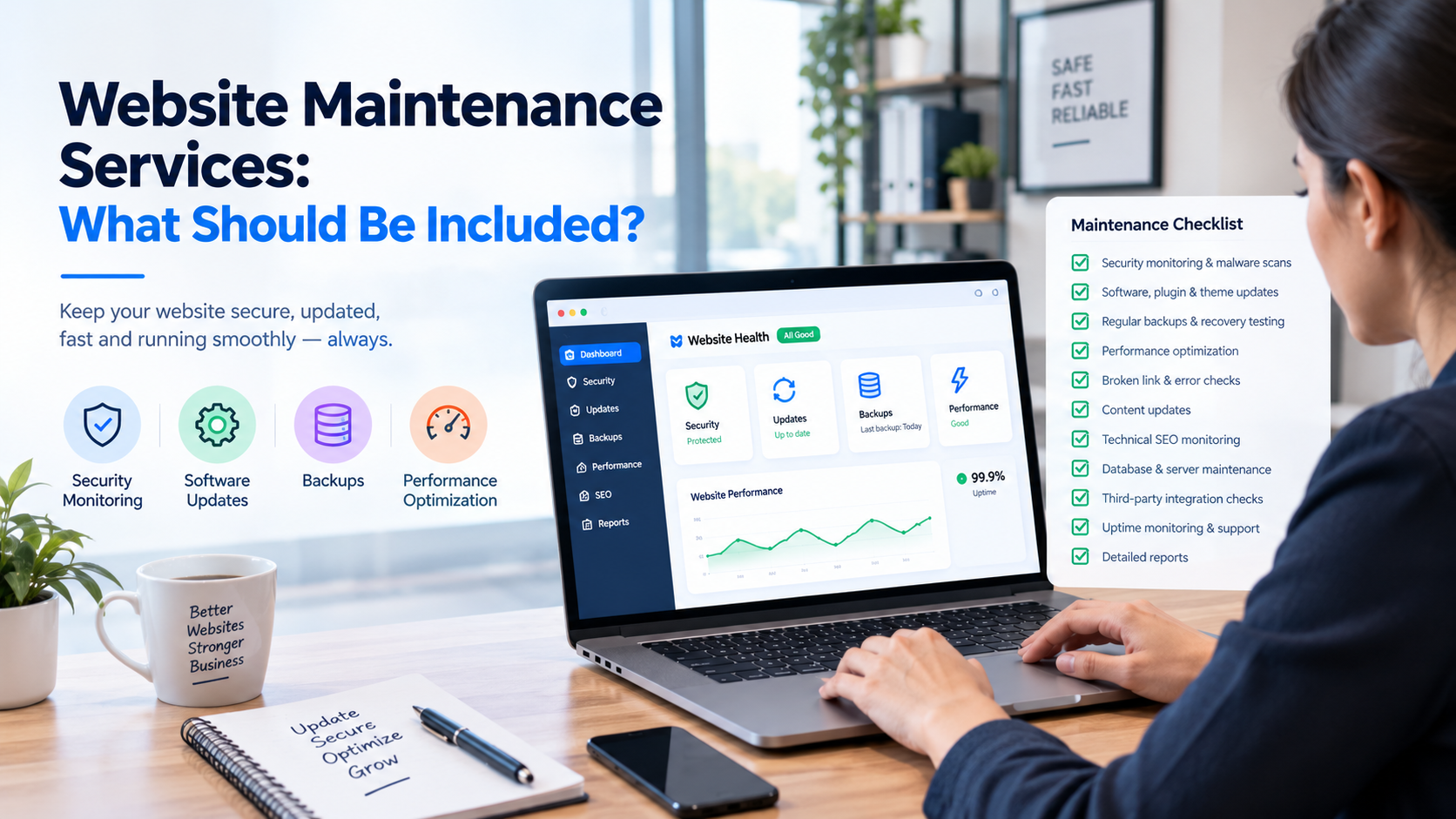
Launching a website is only the beginning of maintaining a strong online presence. As your business grows, your website needs regular updates, security checks, performance improvements, and technical support to remain reliable and effective.
Without proper maintenance, websites can develop broken links, slow loading times, outdated plugins, security vulnerabilities, and functionality issues. These problems can negatively affect user experience, search engine visibility, and customer trust.
This is where professional website maintenance services become valuable. They help businesses keep their websites secure, updated, accessible, and aligned with changing business requirements.
But what should a website maintenance service actually include? In this guide, we will explore the essential maintenance tasks, additional services businesses may need, and how to choose the right website maintenance partner.
Website maintenance services involve the ongoing tasks required to keep a website functional, secure, updated, and performing as expected after its launch.
These services can be provided by an in-house team, an independent developer, or a professional website maintenance company.
Depending on the website’s complexity, maintenance may include software updates, security monitoring, backups, bug fixes, content updates, performance optimization, and technical troubleshooting.
For example, a small business website may require routine software updates, backup management, and occasional content changes. An e-commerce website may need additional monitoring for checkout functionality, payment integrations, inventory systems, and customer account security.
The right maintenance plan depends on your website’s technology, business objectives, traffic levels, and operational requirements.
A website that works properly today may not continue to perform well without ongoing attention. Software changes, new security vulnerabilities, third-party integrations, and evolving customer expectations can all affect website performance.
Regular website maintenance helps businesses:
Website maintenance is not simply a technical expense. It is an ongoing investment in the reliability of your digital presence.
When evaluating a website maintenance package, look beyond basic updates. A comprehensive plan should address the technical, security, performance, and operational needs of your website.
Websites built with content management systems such as WordPress or frameworks such as Laravel rely on software components that need regular maintenance.
Outdated software can introduce compatibility problems and leave known security vulnerabilities unaddressed.
A website maintenance service should include:
Updates should be handled carefully. Testing changes in a staging environment, where practical, can help prevent problems on the live website.
Security is one of the most important parts of website maintenance. A compromised website can expose customer information, damage brand reputation, and disrupt business operations.
A suitable maintenance plan may include:
More advanced websites may also require a web application firewall, vulnerability assessments, or professional penetration testing.
Keep in mind that routine maintenance does not guarantee complete protection against every cyberattack. Security controls should be selected according to the website’s risk profile.
Website backups help businesses recover from accidental deletions, failed updates, server problems, data corruption, and certain cyberattacks.
However, creating backups is only part of the process. A maintenance provider should also ensure that backups are protected and can be restored when necessary.
A backup service should consider:
For example, a business publishing occasional blog posts may have different backup requirements from an online store processing customer orders throughout the day.
Your backup strategy should reflect how much data your business can afford to lose and how quickly the website needs to recover.
A slow website can frustrate visitors, reduce conversions, and create usability problems, especially on mobile devices.
Website performance can change over time as new plugins, images, scripts, and integrations are introduced.
Website maintenance services may include:
The goal is to identify measurable performance issues and implement improvements that support a better user experience.
Performance work should be based on actual testing rather than applying generic optimization techniques that may not suit your website.
Broken links, missing pages, and server errors can make a website appear unreliable. They may also prevent visitors and search engines from accessing important content.
A maintenance plan should include checks for common website errors, such as:
When a page has moved permanently, an appropriate redirect can help visitors and search engines reach the correct destination.
However, not every 404 error needs to be redirected. The appropriate response depends on whether a relevant replacement page exists.
Regular error monitoring helps keep the website accessible and reduces avoidable navigation problems.
Business information changes over time. Services evolve, team members change, products are discontinued, and contact information may need updating.
Website maintenance can include content updates that keep your website accurate and useful.
Typical tasks include:
Before purchasing a maintenance package, confirm how many content changes are included and whether complex page redesigns or new functionality require separate estimates.
Keeping content accurate helps visitors make informed decisions and supports a professional brand image.
Website maintenance and search engine optimization are closely related, although they serve different purposes.
Maintenance helps preserve the technical health of your website, while SEO involves a broader strategy for improving search visibility and attracting relevant traffic.
A maintenance plan with technical SEO support may include:
These tasks help identify technical problems that could interfere with search engine crawling or indexing.
However, routine website maintenance alone does not guarantee higher rankings. Keyword research, content quality, search intent, authority, and other SEO factors also influence organic performance.
Visitors may access your website through smartphones, tablets, laptops, and different browsers. Website updates can occasionally introduce layout or functionality problems on specific devices.
Maintenance services should include periodic checks of important pages across supported screen sizes and browsers.
These checks may cover:
For e-commerce websites, booking platforms, and lead-generation websites, testing key user journeys is especially important.
A responsive website should remain usable across different screen sizes without requiring visitors to zoom excessively or struggle with navigation.
Websites that use databases and server-side applications need additional technical maintenance to remain reliable.
Depending on the hosting environment, a maintenance provider may handle:
Database optimization should be performed carefully, with suitable backups and testing before potentially disruptive changes.
Businesses with custom applications or complex integrations may need a more specialized maintenance arrangement than websites with basic informational pages.
Many business websites rely on forms and external services to generate leads, process payments, schedule appointments, or manage customer information.
These features should be checked regularly because a website can appear to be working while an important business function has stopped operating correctly.
Maintenance tasks may include:
For payment-related changes, testing should be performed safely without creating unintended live transactions or exposing customer information.
Maintaining these integrations helps prevent technical issues from disrupting lead generation and revenue.
Website downtime can affect customer confidence, lead generation, and online sales. Businesses that rely heavily on their websites should understand how availability is monitored and how technical issues are handled.
Website maintenance services may include:
Before choosing a provider, ask about support hours, response targets, escalation processes, and whether emergency assistance is included.
A response-time commitment is not necessarily a guarantee that every issue will be resolved within the same period. Review the exact terms in the service agreement.
Regular reporting helps businesses understand which maintenance tasks were completed, what problems were identified, and which issues still require attention.
A useful maintenance report may include:
Where analytics monitoring is included, reports may also highlight changes in traffic, conversions, and user behavior. These metrics should be distinguished from maintenance outcomes because traffic and conversion changes can have many causes.
A transparent reporting process helps businesses understand the value of their maintenance plan and make informed decisions about future improvements.
Not every business needs the same level of support. The following comparison can help you identify the services appropriate for your website.
| Service | Basic maintenance | Comprehensive maintenance | Advanced or business-critical support |
|---|---|---|---|
| Software updates | Essential updates | Scheduled updates and testing | Controlled releases and patch prioritization |
| Security | Basic checks | Monitoring and security reviews | Enhanced monitoring and incident support |
| Backups | Scheduled backups | Protected backups and recovery tests | Defined recovery objectives and enhanced resilience |
| Performance | Basic checks | Regular optimization | Deeper performance analysis |
| Content updates | Limited changes | Ongoing agreed updates | Larger changes under a defined scope |
| Technical SEO | Basic technical checks | Recurring technical reviews | Broader technical analysis where agreed |
| Uptime monitoring | Basic monitoring | Alerts and troubleshooting | Defined escalation and availability processes |
| Reporting | Task summary | Recurring maintenance reports | Detailed reporting and risk reviews |
These are illustrative service levels, not standardized industry packages. Providers use different definitions, and the actual scope should always be confirmed in writing.
The ideal maintenance schedule depends on your website’s complexity, update frequency, security exposure, and business importance.
A practical starting point is:
Daily or automated checks
Weekly checks
Monthly checks
Quarterly checks
After significant changes
Critical security patches and urgent incidents should be handled according to risk rather than waiting for the next scheduled review.
Selecting a website maintenance partner involves more than comparing monthly fees. You need a provider that understands your website’s technology and can deliver the level of support your business requires.
Consider the following factors before making a decision.
Look for a provider with relevant experience in your CMS, framework, e-commerce platform, or custom application.
Ask for a written list of maintenance tasks, deliverables, exclusions, and any limits on support or content changes.
Understand how updates are tested, how backups are protected, and how security issues are prioritized.
Check the available support hours, communication channels, emergency procedures, and contractual response targets.
Choose a provider that documents completed work, unresolved problems, and recommended improvements.
Make sure the maintenance plan can adapt as your website adds pages, integrations, users, or new business functionality.
Confirm that your business retains appropriate control over its domain, hosting account, source code, website data, and other essential assets.
The right maintenance company should explain its approach clearly and recommend services that match your needs rather than simply selling the largest possible package.
Businesses can reduce avoidable risks by addressing several common maintenance mistakes.
A documented maintenance plan helps teams assign responsibilities, prioritize issues, and maintain consistency.
Growing businesses need websites that remain functional, user-friendly, and aligned with their business objectives after launch.
TechieDom provides digital and technology services that businesses can explore when planning, improving, or maintaining their online platforms. Depending on your requirements, you can discuss relevant development and technical support needs with the team.
Before selecting any provider for ongoing maintenance, confirm the exact services offered, support arrangements, technical expertise, and maintenance deliverables.
If you are planning improvements to your business website, visit TechieDom to explore its services and discuss your requirements.
Website maintenance is essential for keeping your online presence secure, functional, and ready to support business growth. A well-planned maintenance service should cover software updates, security, backups, performance, technical troubleshooting, and the ongoing health of important website features.
Depending on your needs, you may also benefit from content updates, technical SEO monitoring, database maintenance, integration testing, and detailed reporting.
Before purchasing a maintenance package, review the scope carefully, understand how urgent issues will be handled, and confirm who is responsible for each task.
The best website maintenance plan is not necessarily the one with the most services. It is the one that addresses your website’s actual risks, supports your business goals, and provides reliable assistance as your needs evolve.
Website maintenance services commonly include software updates, security checks, backups, performance monitoring, bug fixes, broken link checks, technical troubleshooting, and website functionality testing. Some plans also include content updates, technical SEO monitoring, and reporting.
The cost depends on website complexity, the number of maintenance tasks, support requirements, security needs, and the provider’s service model. A simple business website generally requires less ongoing work than a large e-commerce platform or custom application. Request a detailed proposal based on your requirements.
Many routine tasks can be automated or checked daily, while broader technical and content reviews can be scheduled weekly, monthly, or quarterly. Urgent security vulnerabilities and unexpected issues should be addressed according to their risk and impact.
Yes. Small business websites can experience security vulnerabilities, broken forms, outdated software, and performance problems. A maintenance plan helps reduce these risks and keeps important website features working correctly.
Some maintenance packages include technical SEO checks, such as broken link monitoring, sitemap reviews, redirect checks, and indexability checks. Comprehensive SEO services, including content strategy, keyword research, and link building, are usually separate unless explicitly included.
Yes. Maintenance can identify performance issues involving images, caching, scripts, databases, hosting, and other resources. Actual improvements depend on the cause of the slowdown and the changes implemented.
Website development focuses on building a new website or creating significant new functionality. Website maintenance focuses on keeping an existing website secure, functional, updated, and performing as expected. Some maintenance plans also include small enhancements.
The decision depends on your team’s technical expertise, available time, website complexity, and support requirements. An in-house team may suit businesses with established technical resources, while an external provider can help businesses that need ongoing expertise without building a full internal team.
Neglected websites may develop security vulnerabilities, compatibility issues, broken features, slow performance, data loss risks, and outdated content. These problems can disrupt business operations and reduce customer confidence.
Consider professional maintenance if software updates are being missed, backups are unreliable, security issues recur, your website experiences frequent errors, important forms stop working, or your team lacks the time and expertise to manage technical tasks consistently.